Plan
Lay out the day. Tasks, time estimates, productive breaks. Built around how your brain actually plans.
Focus
Run sessions with a live timer that sticks on the Lock Screen. One task at a time.
Review
See what got done. No streaks, no shame, no punishment for losing focus. Tomorrow starts fresh.
How do I plan my day in Ebbi?
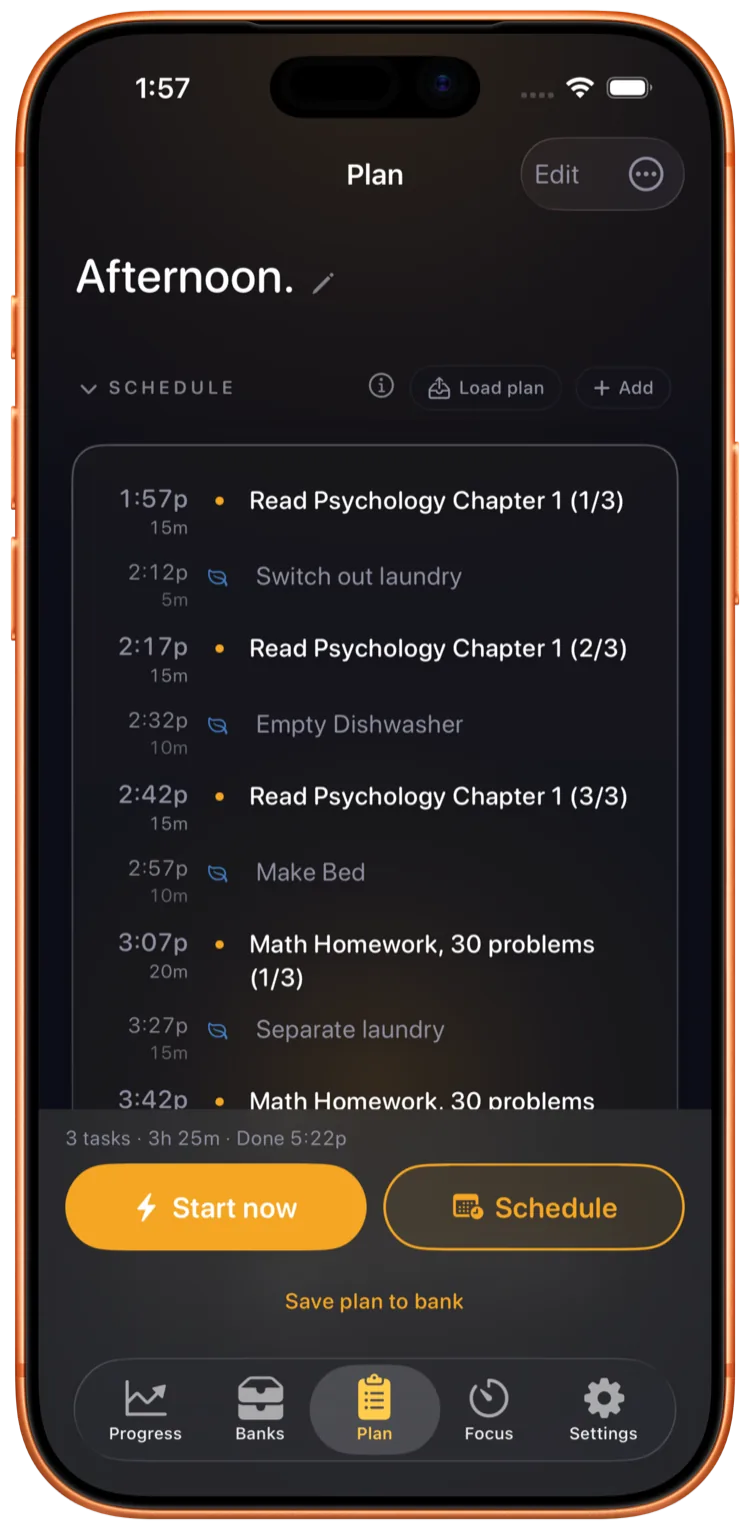
You write the day the way you would on paper. Tasks, time estimates, breaks. Ebbi schedules them into your real day with the gaps that actually exist.
- Type tasks the way you think about them. No required tags, no priority dropdowns.
- Estimate how long each one will take. The schedule lays itself out from there.
- Paste your whole list at once, one task per line with minutes included, and Ebbi builds the plan from it.
- Before you start, see your whole plan and your finish time, not just the first task.
- Save the day as a template you can load tomorrow. Repeated routines stop being daily work.
- If reality changes, the schedule adjusts. You do not start over.
What happens when I run a focus session?
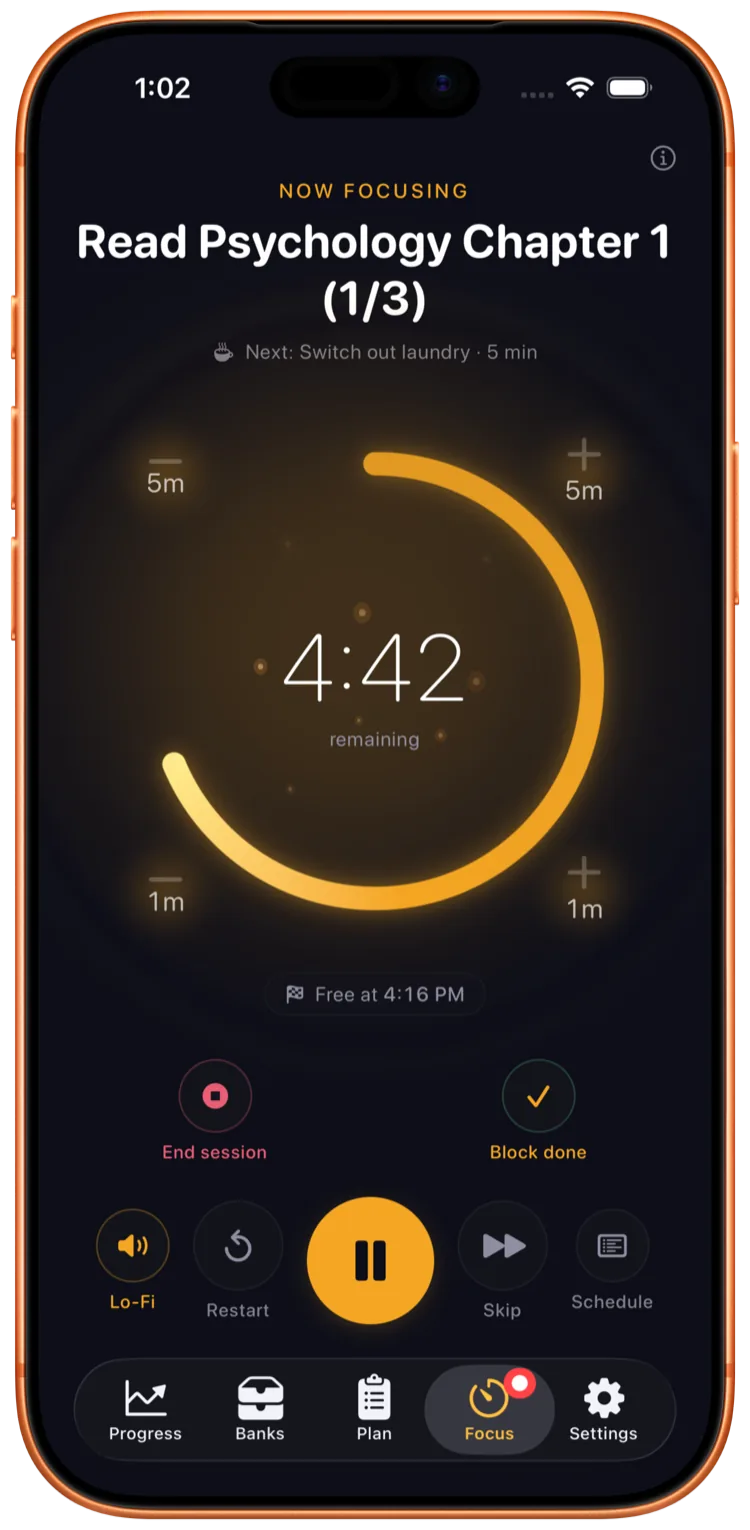
You see one task at a time. A live timer counts down. Soundscapes play if you want them. The session pins to your Lock Screen so you can put the phone face down and still see where you are.
- On iPhone, a Live Activity on the Lock Screen and Dynamic Island. Glance, do not unlock.
- On Android, the countdown shows on your lock screen too.
- 13 calming soundscapes (3 free, 10 with Pro). Brown noise, rain, lo-fi, more.
- Productive breaks built in, not bolted on. Your brain needs them. The plan accounts for them.
- Pause for phone calls (Beta). Your session waits when a call comes in.
How do I review what got done?
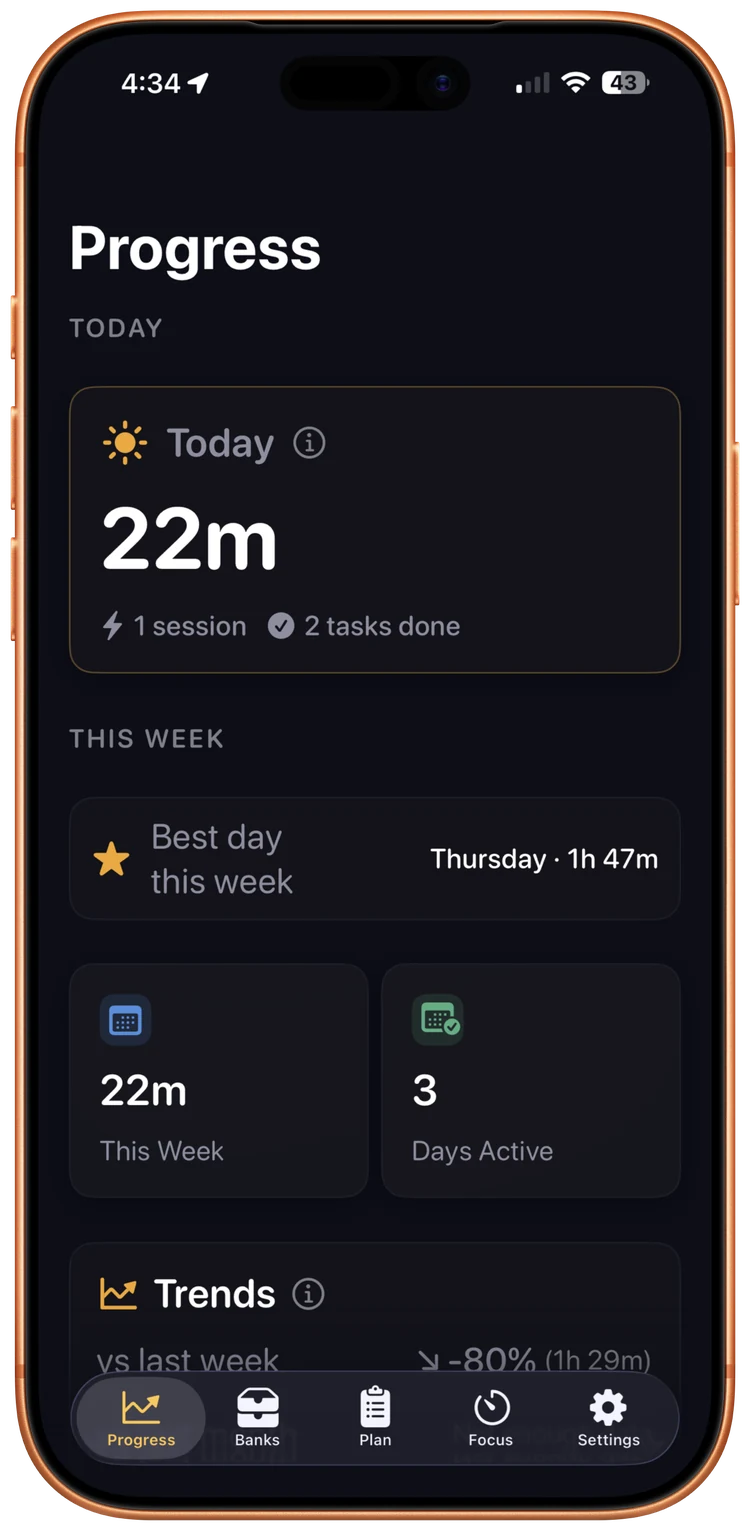
You see the day as it actually happened. Sessions completed, sessions skipped. No streaks to protect, no counters resetting to zero.
- Today's view shows what you actually did. Free for everyone.
- Weekly and monthly views with Pro. Patterns you can act on.
- Estimate accuracy with Pro: see how your time estimates compare with how long tasks actually ran, on iPhone and, in the latest version, on Android. Android sessions recorded before that update show planned times only.
- Auto-forgive at the day boundary. Yesterday does not weigh on today.

What can I customize?
Notifications, soundscapes, the small things that turn a tool into a habit. Custom reminders with Pro, basic morning and evening nudges for everyone.
- Morning and evening focus nudges out of the box.
- Fully customizable reminders with Pro.
- Pick the soundscape that holds your attention.
- Your focus history syncs through your own iCloud account.
- Ebbi speaks your language: English, German, Spanish, French, Brazilian Portuguese, Japanese, Italian, Dutch and Korean.
Built on published research
Every core mechanic in Ebbi traces to published research on attention, executive function, and how planning actually works in the brain.
Time-boxing
Deciding in advance when and where you will act helped people reach their goals across 94 independent tests, mostly with students and none in ADHD (Gollwitzer and Sheeran, 2006).
See the researchSingle-tasking
In lab experiments with small groups of adults, switching between two simple tasks slowed responses and added errors right after each switch, and a slowdown remained even when people had time to prepare (Rogers and Monsell, 1995).
See the researchRetrospective review
Reviewing what got done, without judgment, may help you see your own patterns more accurately.
See the researchFrequently asked
Does Ebbi work without an internet connection?
Yes. Ebbi runs entirely on your device and we run no servers that hold your content. On Apple devices signed in to iCloud, your focus sessions and plan snapshots sync through your own iCloud account. On Android, if you have system backup switched on, Android itself copies the app's data to your own Google Drive, encrypted with your device credential and not accessible to us.
What makes Ebbi different from a regular timer app?
A timer counts down. Ebbi plans the whole day, runs the session with a live timer, and shows you what got done after. The timer is one part of a system designed to fit how your brain actually plans.
Why no streaks?
Streaks make you ashamed of bad days instead of helping you recover from them. One missed day says nothing about whether the habit is working, and an app that punishes it teaches you to avoid opening it. Ebbi auto-forgives at the day boundary.
How much does Ebbi cost?
In the US, Ebbi Pro is $7.99 per month or $47.99 per year. New subscribers can try Pro free for 14 days through the App Store or Google Play. Cancel anytime through your App Store or Google Play account. Prices vary by country. The App Store or Google Play shows your price, in your currency and including any local tax, before you subscribe.
Who built Ebbi?
Paul Fernkopf, US Army veteran and founder of Forge Hut LLC in Auburn, Kansas. He spent 15 years refining the planning method on paper before turning it into an app. Read the story.
Is the research real?
Yes. The methodology and all citations are on the research methodology page. Every core mechanic traces to published research, graded and cited openly, and where the evidence is thin, we say so.